Control Flow in JavaScript: If, Else, and Switch Explained

1.What control flow means in programming
Control flow refers to the order in which statements within a program execute. While programs typically follow a sequential flow from top to bottom, there are scenarios where we need more flexibility.
2.What are Control Flow Statements in Programming?
Control flow statements are fundamental components of programming languages that allow developers to control the order in which instructions are executed in a program*.*
They enable execution of a block of code multiple times, execute a block of code based on conditions, terminate or skip the execution of certain lines of code, etc.
| Control Flow Statements Type | Control Flow Statement | Description |
|---|---|---|
| Conditional Statements | if-else |
Executes a block of code if a specified condition is true, and another block if the condition is false. |
switch-case |
Evaluates a variable or expression and executes code based on matching cases |
JavaScript if Statement
The if statement executes a block of code only if a specified condition is true.
const age = 18;
if (age >= 18) {
    console.log("You are an adult.");
}
//You are an adult.
JavaScript if...else Statement
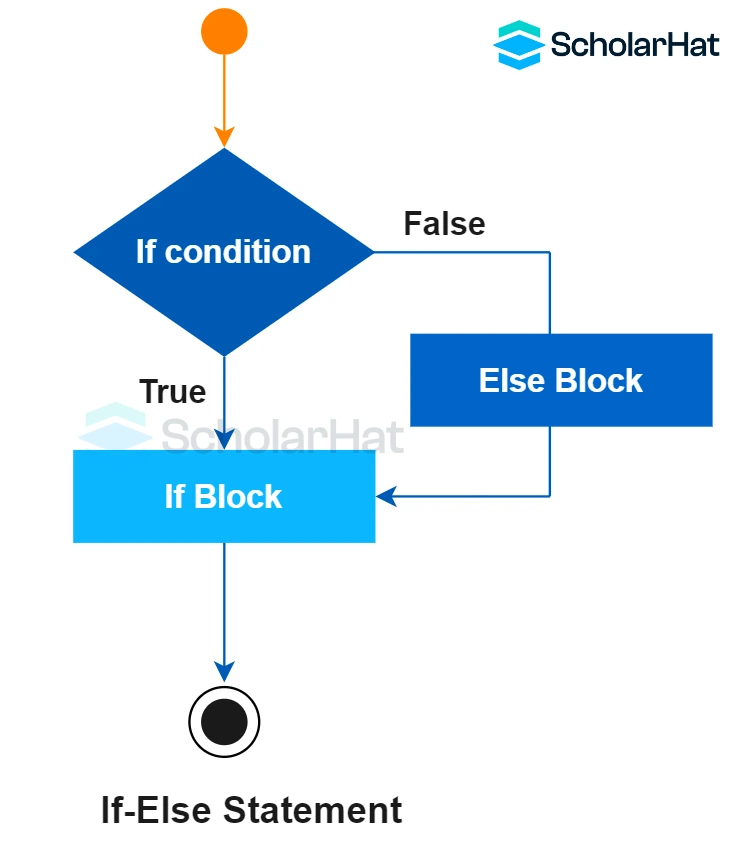
The if...else statement provides an alternate block of code to execute if the condition is false.
const age = 8;
if (age >= 18) {
    console.log("You are an adult.");
}
else{
console.log("you are child");
//you are child.
The else if ladder
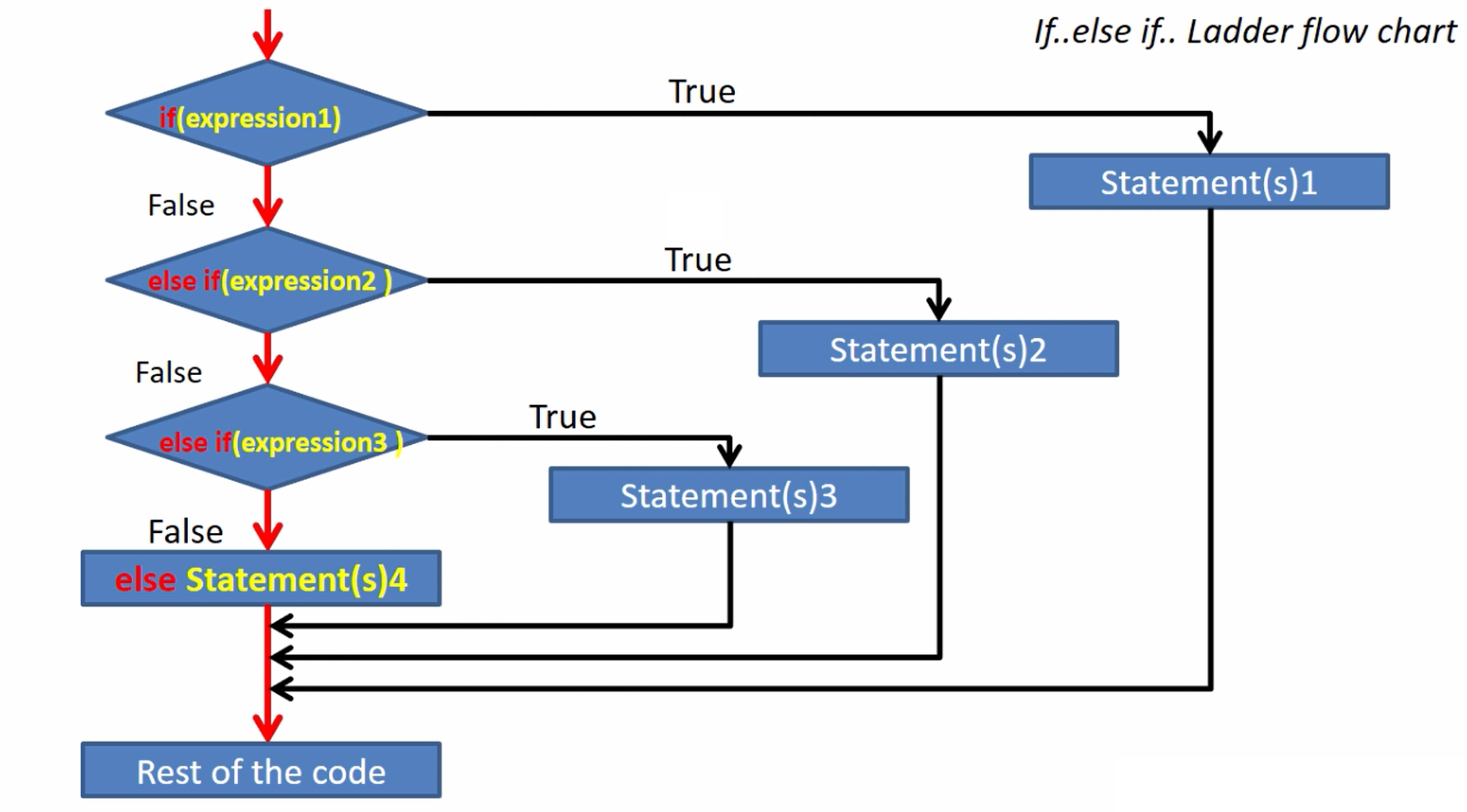
The If Else Ladder in programming refers to a series of if else statements structured in a cascading manner. It allows for sequential evaluation of multiple conditions, where each condition is checked in order. If a condition evaluates to true, the corresponding block of code is executed, and if none of the conditions are true, the other block at the end of the ladder is executed.
let age = 20;

if (age < 13) {
 console.log("Child");
}
 else if (age >= 13 && age < 18) {
 console.log("Teenager");
}
else if (age >= 18 && age < 60){
 console.log("Adult");
}
else {
console.log("Senior Citizen");
 }

//Adult
The switch statement
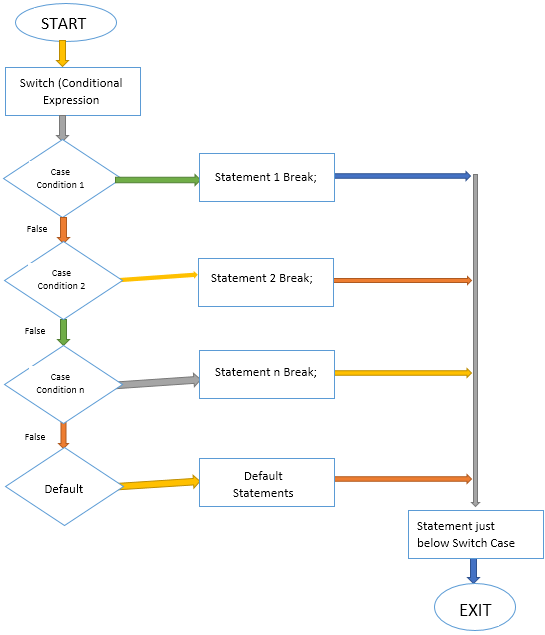
The switch statement evaluates an expression and executes code based on matching cases. It’s an efficient alternative to multiple if-else statements, improving readability when handling many conditions.
switch (expression) {
    case value1:
        // Code block 1
        break;
    case value2:
        // Code block 2
        break;
    // more cases
    default:
        // Default code block
}
Flow Digram of switch Statement
Now, Understand with example
let day = 3;
let dayName;

switch (day) {
    case 1:
        dayName = "Monday";
        break;
    case 2:
        dayName = "Tuesday";
        break;
    case 3:
        dayName = "Wednesday";
        break;
    case 4:
        dayName = "Thursday";
        break;
    case 5:
        dayName = "Friday";
        break;
    case 6:
        dayName = "Saturday";
        break;
    case 7:
        dayName = "Sunday";
        break;
    default:
        dayName = "Invalid day";
}

console.log(dayName)
//Wednesday
Break Keyword
The break keyword is used to terminate the execution of a loop or a switch statement. Once a break is encountered, the program will exit the current block, and no further code within the block will be executed.
let day = 'Monday';

switch (day) {
    case 'Monday':
        console.log("Start of the week!");
        break;
    default:
        console.log("Invalid day.");
}
//Start of the week!
When to Use switch vs if-else in JavaScript
| Feature | if-else |
switch |
|---|---|---|
| Purpose | Used to check different conditions | Used to check one variable against multiple values |
| Condition Type | Works with ranges, logical operators, complex conditions | Works best with exact value comparisons |
| Syntax | Flexible but can become long | Cleaner when many values of the same variable |
| Readability | Good for few conditions | Better when checking many fixed cases |
| Use Case | Age checks, score ranges, validations | Menu options, type/category matching |


