Understanding Network Devices
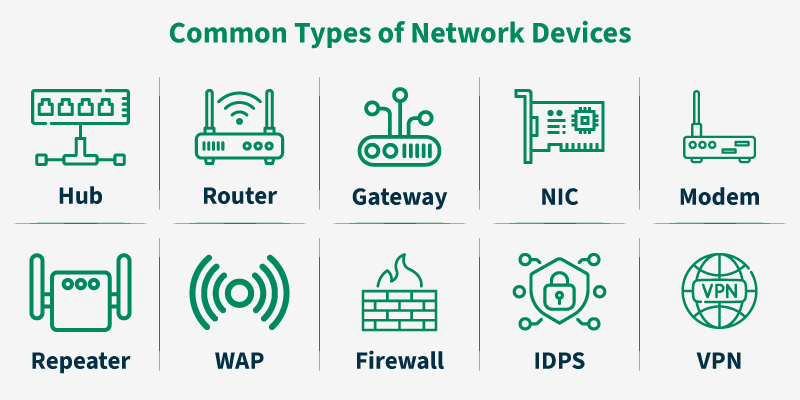
Network Devices (or networking hardware) are the physical appliances required for communication and interaction between computers on a computer network.
What is a Modem and how it connects your network to the internet?
Modems enable computers to send or receive data over telephone or cable lines. They convert digital signals to analog during transmission and vice versa during reception.
Your computer and router speak digital data, but ISPs often send data over phone lines, cable lines, or fiber using different signal formats.
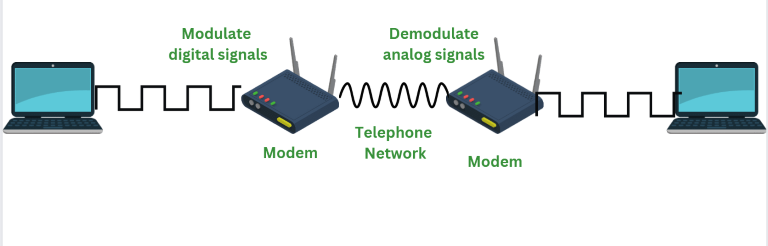
The modem’s job is to translate between these two worlds.
1. Modulation (Outgoing data)
Your laptop sends digital data (0s and 1s)
The modem converts it into signals suitable for the ISP’s line
(electrical, light, or radio signals)
2. Demodulation (Incoming data)s
Data comes from the ISP in signal form
The modem converts it back into digital data
Your router/devices can understand it
What is a Router and how it directs traffic?
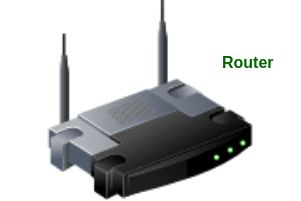
A router is a networking device that forwards data packets between different computer networks. It connects multiple packet-switched networks or subnetworks, managing traffic by directing packets to their intended IP addresses. Routers allow multiple devices to share an Internet connection efficiently.
How Does a Router Work?
Routers determine the path for a packet by examining its destination IP address and consulting the routing table, which contains information on network paths. They use a set of rules to identify the most efficient route for each packet.
Static routing: Configured manually, suitable for small or stable networks.
Dynamic routing: Automatically updated based on network activity, ideal for large or changing networks.
Difference between Modem and Router
A modem connects your network to your Internet Service Provider (ISP) by translating signals between your home network and the internet, while a router connects multiple devices within your home or office and manages how data is shared between them. In short, the modem brings the internet into your network, and the router distributes it within your network.
Switch vs Hub: how local networks actually work?
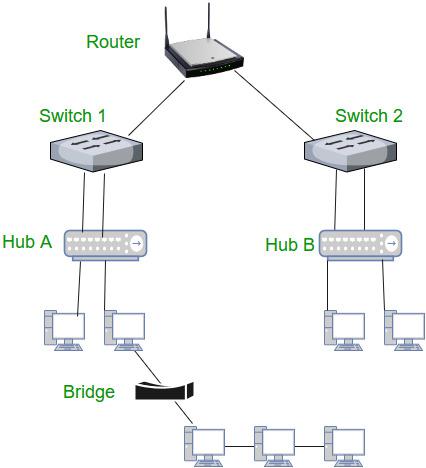
Hub is a networking devices which is used to transmit the signal to each port (except one port) to respond from which the signal was received. Hub is operated on Physical layer. In this packet filtering is not available.
It is also known as a repeater as it transmits signal to every port except the port from where signal is received. Also, hubs are not that intelligent in communication and processing information for 2nd and 3rd layer.
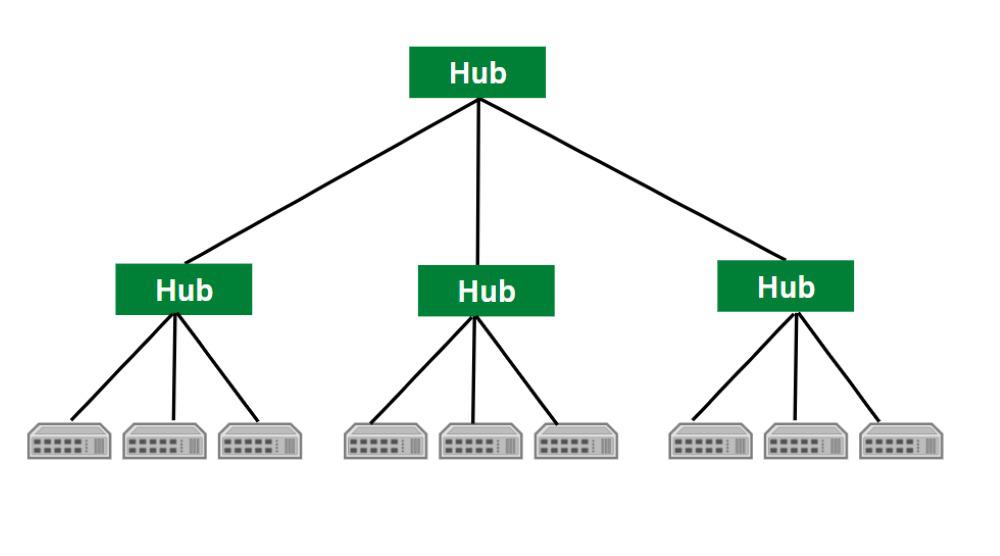
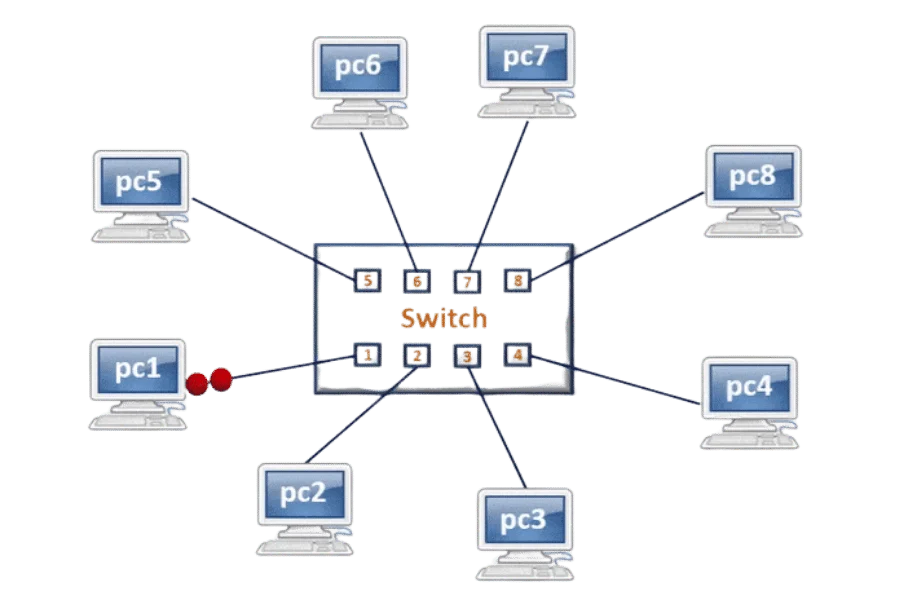
Switch is a network device which is used to enable the connection establishment and connection termination on the basis of need. Switch is operated on Data link layer. In this packet filtering is available. It is type of full duplex transmission mode and it is also called efficient bridge.
Basically is a kind of bridge that provides better connections. It is a kind of device that set up and stop the connections according to the requirements needed at that time. It comes up with many features such as flooding, filtering frame transmission.
What is a Firewall and why security lives here?
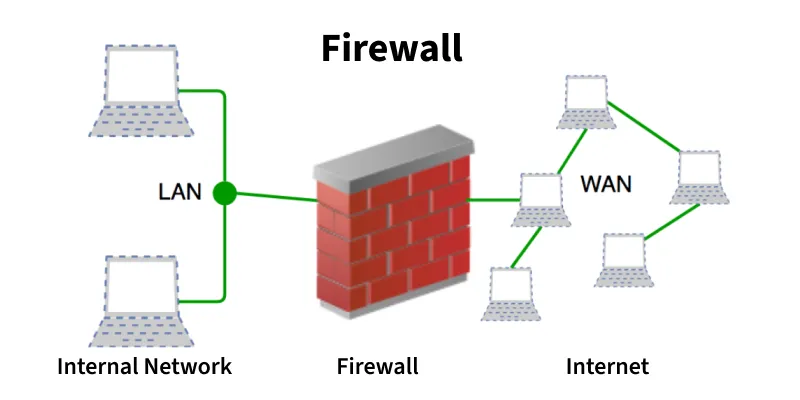
A firewall is a network security system, available as hardware or software, that monitors and controls incoming and outgoing traffic based on predefined rules. It acts like a security guard, filtering data packets to either:
Accept: Allow the traffic.
Reject: Block with an error response.
Drop: Block silently without response.
What is a Load Balancer and why scalable systems need it?
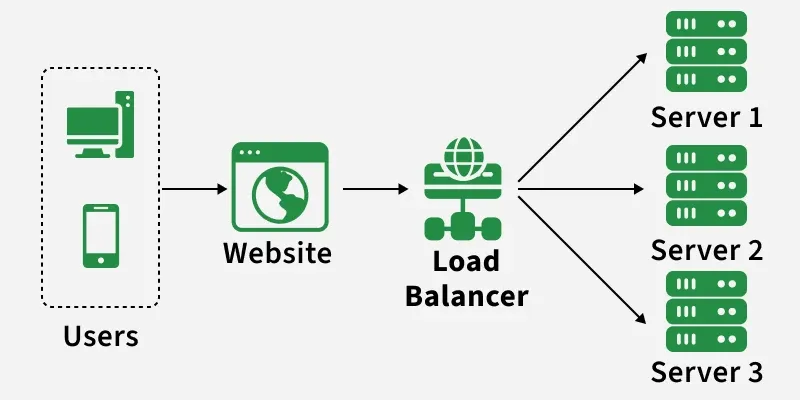
A load balancer is a networking device or software application that distributes and balances the incoming traffic among the servers to provide high availability, efficient utilization of servers and high performance.
Working of a Load Balancer
A load balancer receives incoming requests, checks server health, and routes each request to the most suitable available server to ensure high availability and optimal performance.
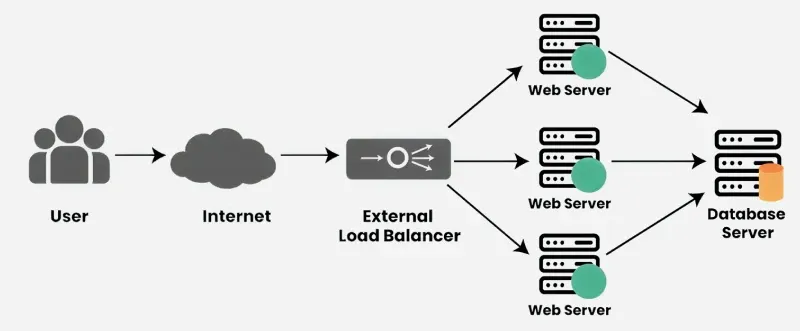
Receives Incoming Requests: When users try to access a website or application, their requests first go to the load balancer instead of directly to a server.
Checks Server Health: The load balancer continuously monitors the status of all servers. It checks which servers are healthy and ready to handle requests.
Distributes Traffic: Based on factors like server load, response time or proximity, the load balancer forwards each request to the most appropriate server. This helps avoid any server getting overloaded.
Handles Server Failures: If a server goes down or becomes unresponsive, the load balancer automatically stops sending traffic to that server and redirects it to others that are still functioning properly.
Optimizes Performance: By spreading traffic efficiently and using healthy servers, load balancers improve overall performance and reduce delays.
Problems Without a Load Balancer
Several problem will occur without the load balancer, these are:
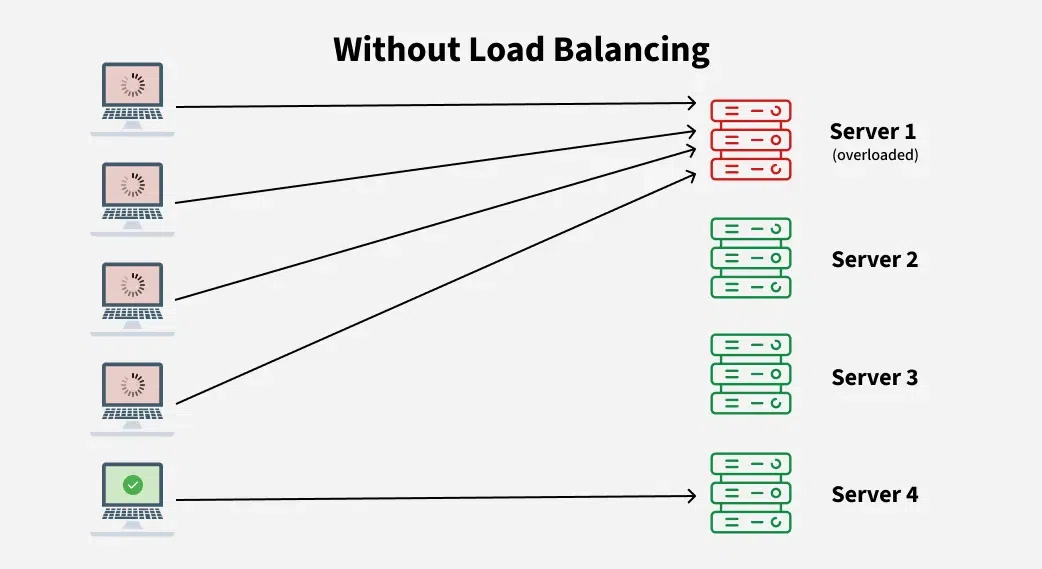
Single Point of Failure: If the server goes down or something happens to the server the whole application will be interrupted and it will become unavailable for the users for a certain period. It will create a bad experience for users which is unacceptable for service providers.
Overloaded Servers: There will be a limitation on the number of requests that a web server can handle. If the business grows and the number of requests increases the server will be overloaded.
Limited Scalability: Without a load balancer, adding more servers to share the traffic is complicated. All requests are stuck with one server and adding new servers won’t automatically solve the load issue.
In a real-world setup, all network devices work together like a simple chain. Your ISP sends internet signals through a cable, fiber, or phone line to your modem, which converts those signals into digital data. The modem passes this data to the router, which assigns local IP addresses (using DHCP) and decides where each data request should go. The router then sends the data to your devices—such as phones, laptops, or smart TVs—either through Wi-Fi or Ethernet cables. When you open a website, the request travels from your device → router → modem → ISP → internet, and the response comes back the same way, allowing all your devices to access the internet simultaneously.
Comments
Join the discussionNo comments yet. Be the first to comment.


